
Friends in the Orange Booth
Two friends share the orange-booth spotlight in a playful AI performance.
Try This TemplateTHE VIRAL ORANGE BOOTH AI TREND
Turn your photos into viral Hotel Lobby AI videos. Step into the iconic orange booth, perform under the hanging microphone, and create your own AI-powered video in minutes.
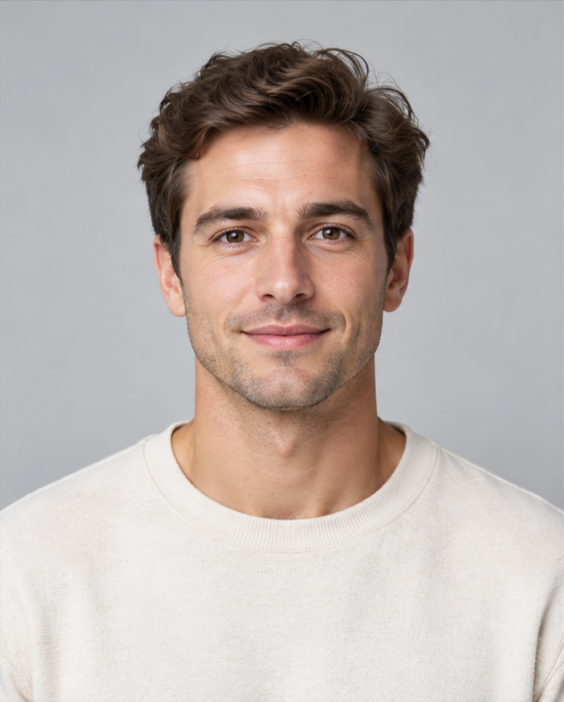
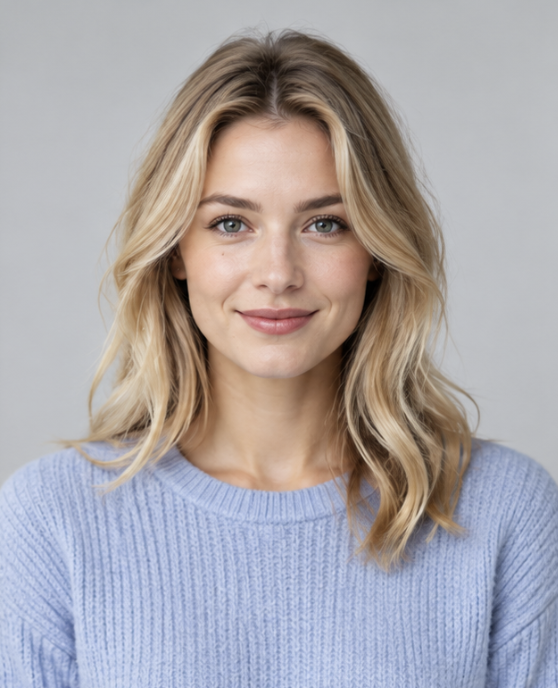
Actual result generated on this website (hotellobbyaivideo.me) Created from the two photos shown here.
Upload your photos, choose your orange booth style, and generate your own Hotel Lobby AI video online.
JPG, PNG or WebP · up to 10 MB each
For best results, upload clear, front-facing photos with one person in each image
See what you can create with the Hotel Lobby AI Video Generator. Explore different characters, styles, and orange booth performances.
Two friends share the orange-booth spotlight in a playful AI performance.
Try This TemplateA couple steps into the orange booth for a personalized AI duet.
Try This TemplateA cat and dog take the orange-booth stage as an unexpected AI duo.
Try This TemplateA lead performer takes center stage while a second performer supports the orange-booth AI duet.
Try This TemplateTwo female friends bring their own style to the Hotel Lobby AI trend.
Try This TemplateA male and female duo perform beneath the hanging microphone in the iconic orange booth.
Try This TemplateTo make a Hotel Lobby AI video, upload clear photos of yourself or your friends, adjust the video settings, and generate a short AI performance video. Preview the result and download it when it’s ready.
Click Upload left photo and Upload right photo. Use one clear, front-facing portrait per image: JPG, PNG or WebP, up to 10 MB each.
Choose duration (4–15 seconds), quality (768p or 2K) and frame (9:16, 16:9 or 1:1) in the studio.
Sign in, check the credit cost and confirm permission to use both photos. Click Generate video. If progress stops updating, use Check status before submitting again.
Watch the finished video in the preview. Click Open / save video, then save it using your browser. To try again, change your photos or settings; each new generation uses credits.
The Hotel Lobby AI trend is a viral AI video format inspired by the orange studio performance aesthetic associated with Quavo and Takeoff’s “HOTEL LOBBY” performance on A COLORS SHOW.
The trend typically features two performers in a vibrant orange setting, with a suspended microphone positioned above them.
AI video tools allow creators to make original videos inspired by this recognizable visual style using their own photos, characters, and creative ideas.
The orange backdrop, minimal studio setup, and two-person performance make the format instantly recognizable. Creators can adapt the concept for friends, couples, original characters, and other creative combinations.
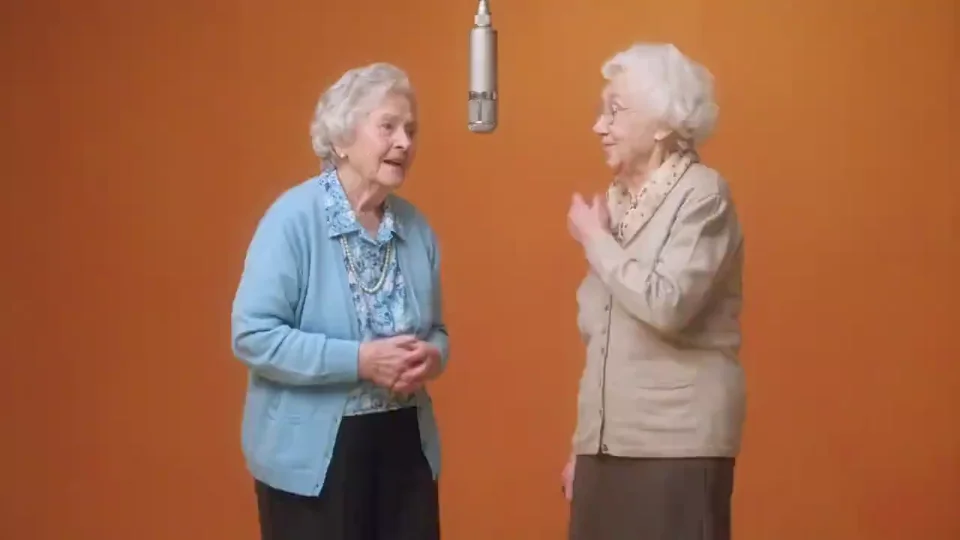
Create an orange booth performance from your photos without complicated video editing.
Generate videos inspired by the recognizable orange studio setting and suspended microphone.
Upload your images, choose your settings, and create your video directly in your browser.
Preview and download your generated video for sharing on your favorite social platforms.
Use clear, front-facing photos so the AI can read each person’s facial features. Avoid sunglasses, covered faces and busy backgrounds, which can make the subject harder to distinguish. Choose one person per image with even lighting and a visible head and shoulders.
Upload a separate portrait for each person in the left and right photo slots. This gives the AI distinct references and defines the intended positions. If the faces become mixed, replace unclear portraits with sharper images that show distinct facial features. Left and right placement guides the scene but is not guaranteed.
If faces blend, hands look distorted or the camera shifts unexpectedly, try clearer photos and a short 4–5 second clip to review the result. The generator already asks for restrained movement and a fixed camera, but results can vary. Change one photo or setting at a time and preview the full video before saving. Each new generation uses credits.
Straightforward answers about the format, the two-photo workflow and what happens when you generate.
The Hotel Lobby AI Video Generator is an online tool for creating AI-generated videos inspired by the viral orange booth performance trend. Users can upload photos and generate their own videos featuring a studio-style setting and suspended microphone.
Upload two photos, choose your video settings, and confirm permission to use both images. Sign in and click Generate video. Once your video is ready, preview and save the result.
Yes. The two-photo workflow lets you upload separate portraits for the left and right performers in the scene.
Video generation requires credits, and new accounts do not receive free trial credits. The cost depends on your chosen duration and quality and is displayed before you generate. Uploading photos for a local preview is free.
Yes. Upload photos of yourself and a friend, with permission from everyone featured, to create your own duo performance.
You can download your generated video and prepare it for social sharing. Make sure you have permission to use any photos, music, or other content included in your post.
AI-generated videos can vary in facial details, movement, timing, and composition. Clear reference photos can help improve results, but the generated scene may differ from the original trend.
No. This is an independent AI video creation tool inspired by the orange booth video trend. It is not affiliated with the original performers or production platform.
YOUR PHOTOS. YOUR PERFORMANCE.
Bring yourself and a friend into the orange booth. Upload two photos, choose your settings, and create your own AI performance.